Hace poco estaba intentando compilar una aplicación de React Native con Expo. Para avanzar, necesitaba instalar el SDK de Java y configurar el JDK, pero al intentar hacerlo, Windows 11 me lanzó el temido error: “Falta espacio en disco”.
Al principio, no tenía sentido. Revisé la configuración de almacenamiento y el panorama era bastante confuso.
El problema: ¿Qué estaba consumiendo mi espacio?
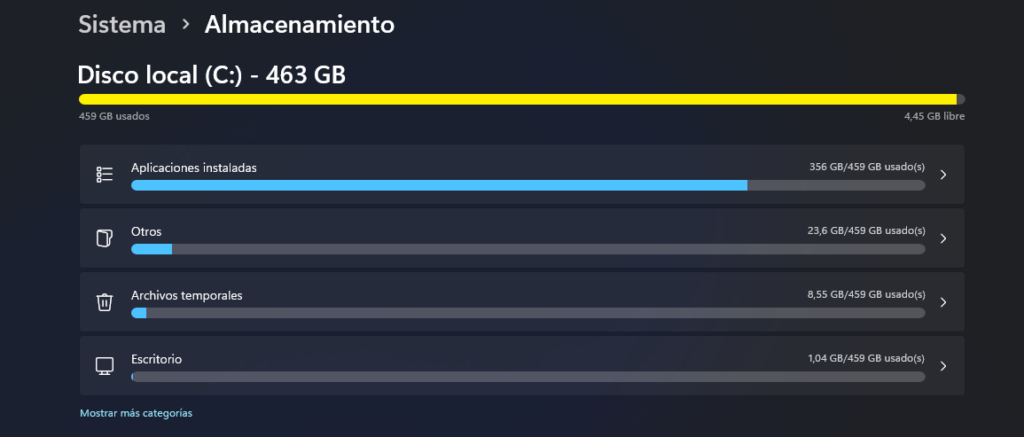
Revisé el uso de memoria en Windows, pero los números no cuadraban con el espacio libre disponible. Estaba bloqueado, así que decidí pedir ayuda a Cursor (mi herramienta de IA para desarrollo) enviándole un prompt en modo debug para analizar mi entorno.
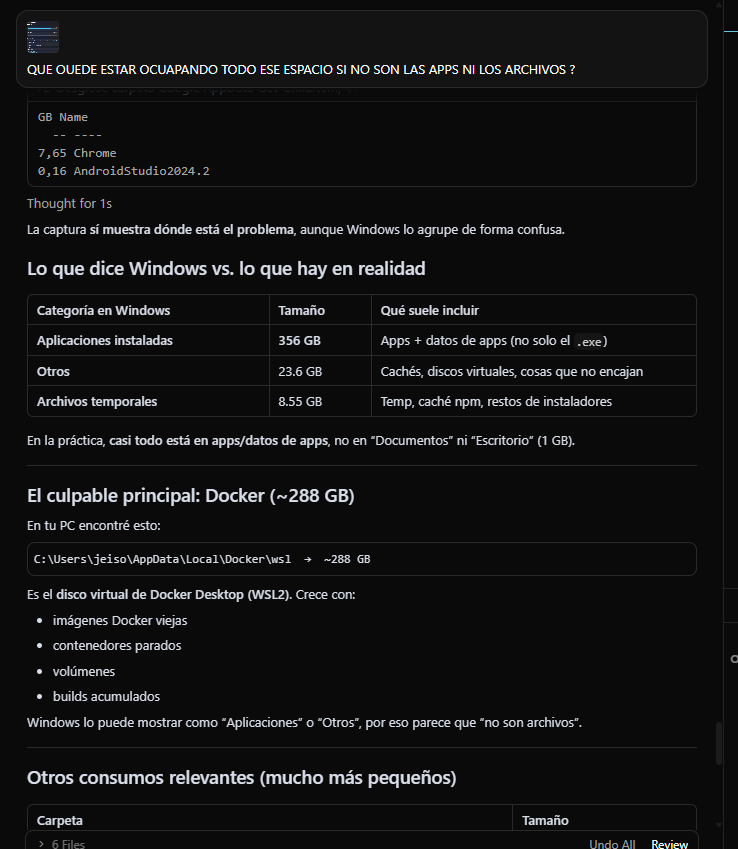
Nota: Tengo configurado Cursor con acceso avanzado a mi entorno, lo que le permitió analizar todo el sistema de forma profunda.
La revelación de la IA
Lo más increíble es que, en un solo prompt, Cursor detectó el problema sin que yo tuviera que darle detalles específicos. Identificó dos culpables principales:
- Docker Desktop: Estaba acumulando una cantidad masiva de imágenes y volúmenes que ya no utilizaba.
- Caché de NPM: Tenía una cantidad de archivos temporales acumulados que ya no eran necesarios.

La solución: Manos a la obra
Cursor me sugirió limpiar Docker y la caché de NPM. Estos fueron los comandos que salvaron mi día:
- Para revisar cuánto espacio estaba ocupando realmente:Bash
docker system df - Para liberar espacio definitivamente (el comando “mágico”):Bash
docker system prune -a --volumesEste comando elimina contenedores detenidos, imágenes no utilizadas y volúmenes huérfanos que estaban ocupando un espacio valioso. - Para limpiar la caché de NPM: (Simplemente ejecuté el comando estándar de limpieza de caché que ya muchos conocen).
Resultado
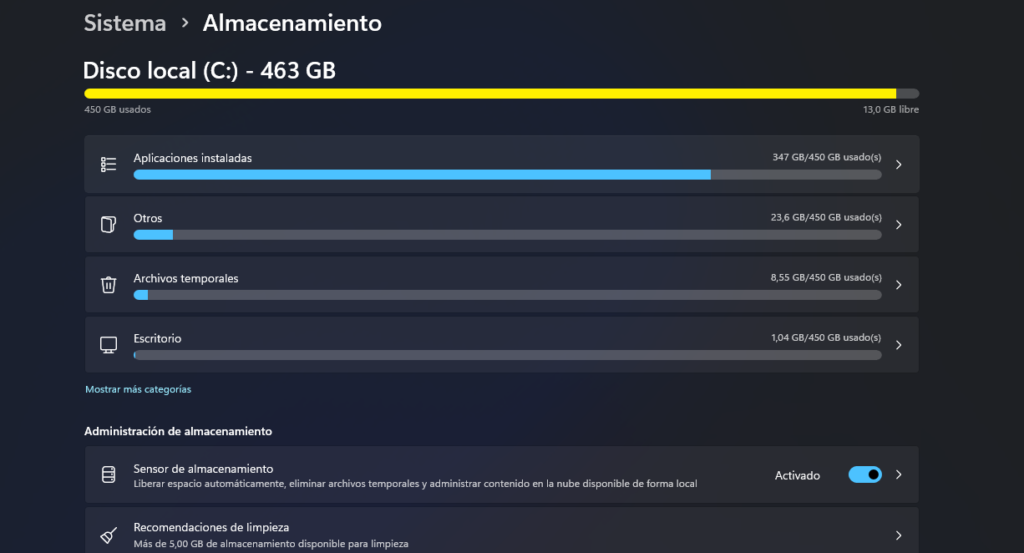
Después de ejecutar estos pasos, el espacio en mi disco volvió a la normalidad. Pude retomar la configuración del SDK y, finalmente, logré compilar mi proyecto para Android sin más contratiempos.
Conclusión: A veces estamos tan enfocados en el código que olvidamos los “monstruos” que viven en el fondo de nuestro sistema. Si usas Docker y te falta espacio, ¡no olvides revisar tus volúmenes e imágenes huérfanas!